Guide 01
Ultrabook Processors
TDP classes, PL1 and PL2 behaviour, sustained clock after 20 minutes of load, and the real difference between 15 W and 28 W parts in a 1.2 kg chassis.
Read the guideGuide index · Lab report 04
This page collects the checks we run before recommending a thin laptop to a client. Every item below was validated on 148 units measured in our bench room at 22 °C ambient, with the same instruments and the same protocol. The goal is simple: replace marketing claims with numbers you can reproduce yourself in a store or at home.
Each guide below is a standalone test report with the measurement conditions, the raw indicators and a conclusion. We publish the protocol next to the result so that a second operator can repeat the run and land within tolerance. Start with the processor guide if you buy for compile loads, or with the display guide if colour accuracy drives your work.
Guide 01
TDP classes, PL1 and PL2 behaviour, sustained clock after 20 minutes of load, and the real difference between 15 W and 28 W parts in a 1.2 kg chassis.
Read the guideGuide 02
sRGB and DCI-P3 coverage, ΔE2000 average and peak, white point drift, and corner uniformity measured on a 5×3 grid.
Read the guideGuide 03
Vapour chamber versus single heat pipe, surface temperature at the WASD zone, and the point where throttling starts in a 30-minute run.
Read the guideGuide 04
Cycle count to 80 % capacity, charge taper above 80 %, discharge curve at 150 nit, and what a 65 W charger actually delivers under load.
Read the guideGuide 05
The full protocol: ambient control, warm-up time, run order, statistical spread across three repeats, and how to read our tables.
Read the guideGuide 06
Owner reports collected after 12 months of daily use: hinge play, fan noise drift, battery wear percentage and service response time.
Read the guideThe order matters. Points 1 to 4 cost nothing and filter out roughly a third of candidates before you spend a single euro on testing. Points 5 to 8 require a store visit or a borrowed unit. Points 9 to 12 need instruments and belong to a paid lab run.
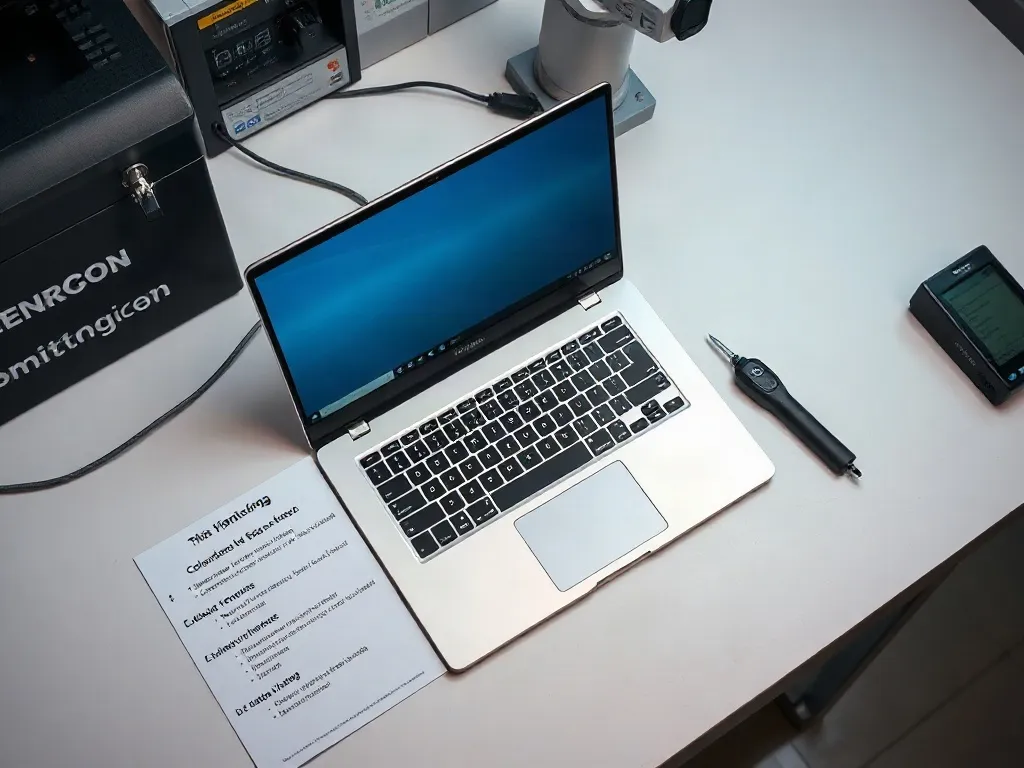
Before and after. In our sample of 148 units, 41 failed at least one free check and were rejected without cost. Of the remaining 107, 29 dropped below their advertised sustained power by more than 15 % in the 20-minute run. Only 78 units passed all twelve points — a pass rate of 53 %. That is the number the checklist is designed to move.
A tool is only useful if its output maps to a decision. Below are the four instruments we use on every verification run, the parameter each one records, and the buying decision it supports. Full protocol details are in the benchmark methods report.
Records gamut coverage, ΔE2000 and white point. Proves whether the panel is factory-calibrated or only advertised as such. Decision: a display with ΔE average above 2.0 needs a calibration profile before colour work.
Samples package power and wall draw at 1 Hz. Proves the real sustained limit after boost expires. Decision: a 28 W part that settles at 18 W behaves like a 15 W part and should be priced accordingly.
Maps surface temperature across the keyboard deck and the bottom plate. Proves whether the cooling system spreads heat or concentrates it. Decision: a hotspot above 46 °C on the palm rest is a hard reject for daily typing.
Runs controlled charge and discharge cycles while logging capacity. Proves the wear curve, not the marketing cycle rating. Decision: a cell that loses more than 12 % after 300 cycles will not reach the five-year mark.
Turnaround is two working days. The full price list covers sample retention and report formats.
Six questions we answer every week, with the short version of the answer. Longer explanations sit in the individual guides and in the lab description.
No, if you buy for browsing and documents. Yes, if the unit is a work tool for colour, compile loads or long battery shifts. A €120 verification against a €1,400 purchase is a 8.6 % insurance premium that has saved our clients from at least nine returns in two years.
Two working days. The thermal run alone takes 40 minutes including warm-up and cool-down, and the battery curve needs a full discharge at a controlled brightness. We do not shorten these steps because the results stop being comparable.
Points 1 to 8 need no instruments and are described in the checklist above. For points 9 to 12 you need a power logger and a colorimeter; a mid-range colorimeter costs about €180 and holds calibration for roughly two years.
Sustained power within 15 % of the declared limit, ΔE2000 average below 2.0, surface temperature below 46 °C at the palm rest, and battery wear below 12 % after 300 cycles. Anything outside these bands is reported as a fail with the raw numbers attached.
Yes. We test any unit brought to the bench, regardless of the seller. Reports are issued to the person who ordered the run and include the serial number so the document can be used in a warranty claim.
You get the raw log files and a one-page summary you can send to the retailer. In 29 of 107 tested units the failure was a sustained power shortfall, which is a legitimate return argument in most EU markets when the advertised figure is not met.
"I ordered the full 12-point run before buying two units for the studio. The report showed one panel at ΔE 3.4 average — the seller exchanged it without argument once the numbers were attached. The second unit passed everything and has run 14 months without a single issue."
The data from 148 units points in one direction. The specification sheet predicts about half of the real behaviour; the other half shows up only under a controlled load. Free checks remove the worst candidates, store checks remove the uncomfortable ones, and a lab run settles the rest with numbers you can quote to a seller.
Use the checklist in order, keep the raw measurements, and compare against the tolerances published in our reports. If you want the full protocol behind those tolerances, read the benchmark methods and results page, then check the lab test price list before booking a run.